CYD Solar Technical Write-up
In the last post I showed the dashboard I use to monitor my solar battery charge. Here the idea is to do a write-up of the process.
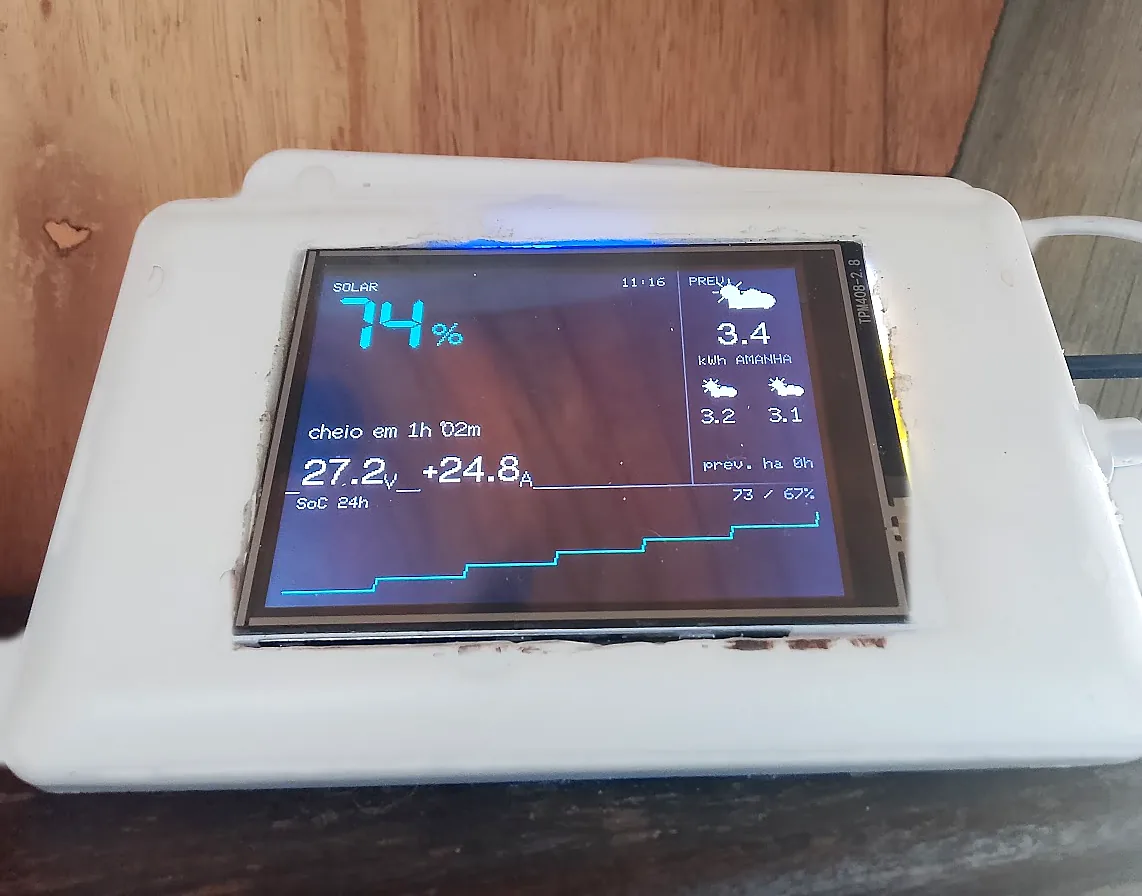
Off-grid scenario limitations
One detail about the project and the design and architecture decisions: they were all based on my biggest limitation — I don’t have internet available 24h.
A limitation derived from not having a constant energy generation, and that’s exactly what this project seeks to quantify and make visible.
So the whole system would have to be designed to work with or without internet access.
Where I started
My starting point was to see what I had in hand.
- battery data via mobile application
- public weather forecast APIs
- cheap and low-power hardware
For these 3 components to communicate I needed an active wifi network — and, when possible, internet. The problem is that I always used the Starlink router itself: with it turned off, I wasn’t just without internet, I was without any network at all.
That brought the need for additional hardware: a simple wifi router that could work 24h a day, independent of Starlink. An Intelbras router taken from the back of the closet solved this first problem. It’s responsible for providing a dedicated wifi network for the battery and the display, and is connected via ethernet cable to Starlink, giving internet access to these devices in case it’s online.
The data
Getting the battery data was a long exploration process that took a few weeks. I knew there should be some way to access the data, since the battery sent it to the manufacturer’s phone app.
In the first exploration, despite having identified the battery on the network, I couldn’t identify any open service running on its IP. After a few dead ends decompiling and reverse engineering the app, monitoring my network traffic, and nothing, just days of frustration. With all my ideas exhausted, I decided to go the opposite way and grab the data from the app instead of the battery. It wasn’t the path I wanted, since I would only have access to the data when I had internet, but I made this decision to not stall the project before it even left the paper.
With this data in hand, I implemented the first version of the screen showing only the battery state of charge and a charge/discharge estimate calculation.
With all that running, I had the project v0 working.
Satisfied with this victory, and after a few weeks using the dashboard, I decided to do a second round of exploration to get the data without needing internet. After all, it makes no sense to me to have to access a server in China to read the data of a device that’s 20 meters away from me, on the same local network as me.
After a lot of research and reading of several different versions of manuals, I found a hidden feature in the app that allows it to access the battery data without internet, connecting directly to it. Promising discovery.
From this new discovery, I installed several network monitoring apps on my phone and recorded the network traffic while using the battery app.
About the logs and network packets: I knew the information I wanted was in there, but networking isn’t my strong suit. Analyzing all of that manually would take too long and I would risk missing something. So I used Claude Code to analyze the logs, telling it which actions I had performed while recording — and praise the modern world, Claude identified for me exactly which requests carried the data I was seeing in the app.
A few more Python scripts and I was already replicating the requests without depending on the battery manufacturer’s app.
And for those curious about how this works under the hood, or who also have a Felicity battery and want to do something similar, I have the protocol documented in the GitHub repository, where you’ll find all the steps to directly access the data the battery provides.
Now I had everything in hand to make a v1, satisfying the main limitation, which was not depending on internet access.
We have today, but what about tomorrow?
Success. Everything working and I managed to answer today’s question: what’s the current battery situation. Now the question of tomorrow remained. Will there be sun and can I splurge? Or will the weather not cooperate and I need to save energy?
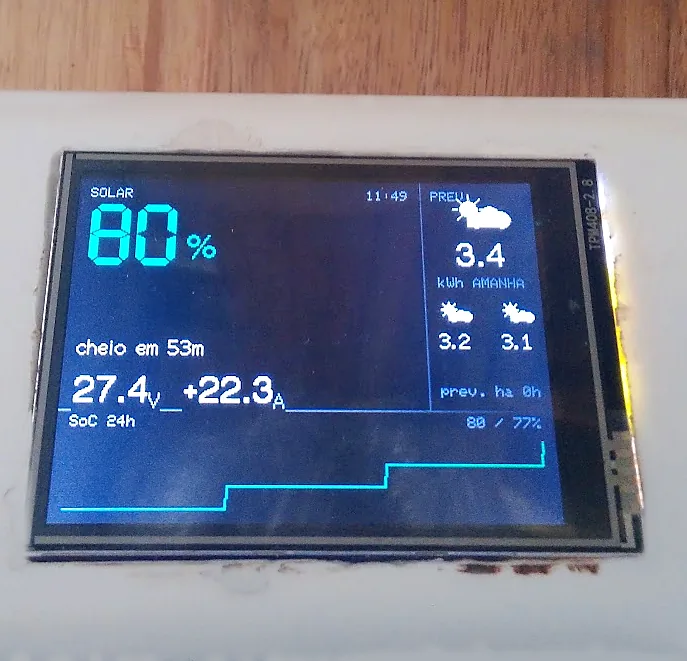
After comparing different APIs, I decided to use Open-Meteo. Better than weather forecast, it provides the solar radiation forecast — a much more precise metric to my problem than “cloudy”, “sunny” or “rainy”.
And here I hit the internet access limitation again, and also the hardware used for the display.
The simplest solution would be the display itself querying the API and showing the result on the screen. But then I would have to implement in C several redundancies and caches to handle possible internet or API unavailability. So I ended up deciding for a slightly more complex solution, but one that in the long run makes maintenance and changes simpler.
The solution was to have a Go service running on my VPS fetching the data from the API, applying a cache layer for possible API unavailability, doing the calculations and transformations needed to leave the information ready for the display to just show it, and making all of that available in a static JSON file. The choice of a static file instead of an API endpoint was for convenience and also security: the Go service is never available on the internet, it just runs every hour and, when it can fetch new data from Open-Meteo, overwrites the JSON file. And if the API returned an error, it simply does nothing — the file itself becomes the cache layer.
On the display, I make a request to this file. If it errors, I keep showing the last information I had. If the request returned data, I compare its date with what I have in memory and update what’s being shown. And so connection failures don’t silently generate stale data, I also show on the display how many hours ago the last successful update happened.
Installation
To simplify installation, I reused an outlet with a USB adapter: so it was just connecting the 220v wires to the outlet and plugging the CYD into its USB output, everything in a single piece. I removed the other outlet entries, enlarged the hole of the faceplate and embedded the CYD inside the box.
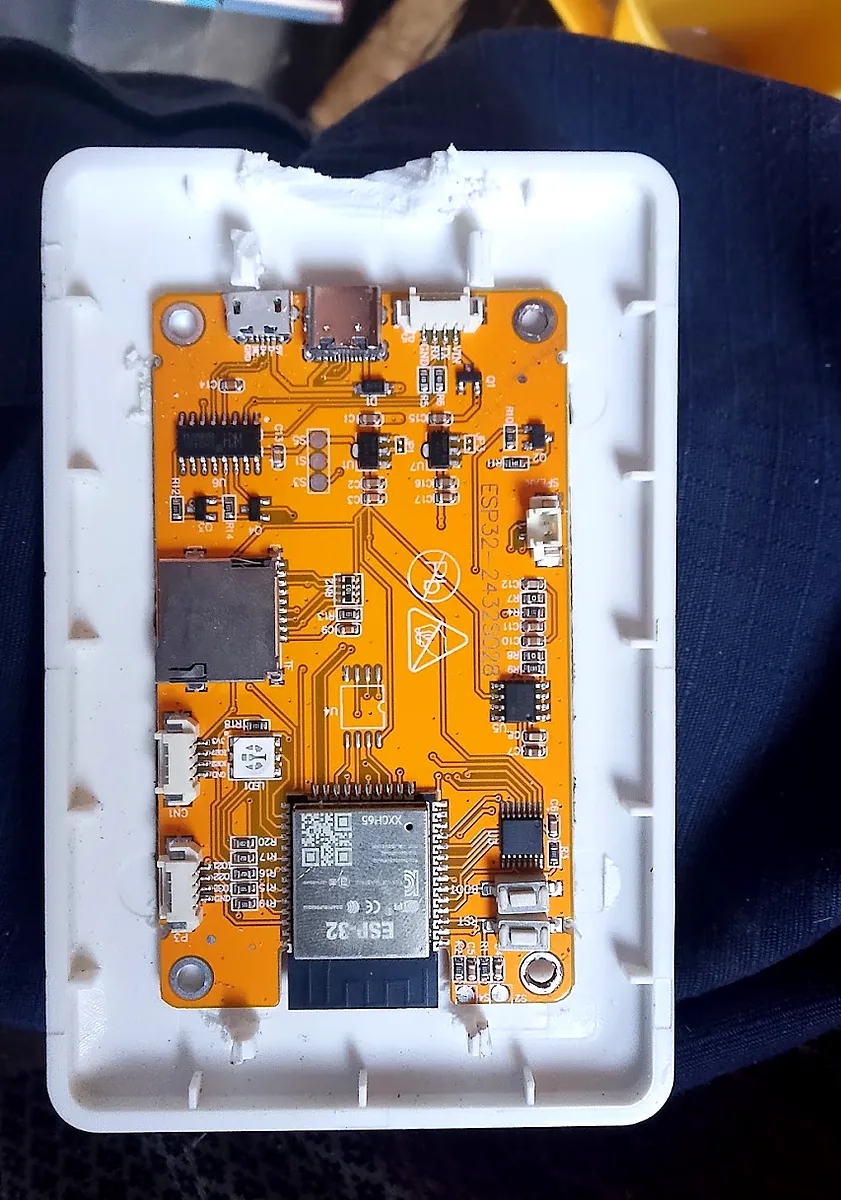
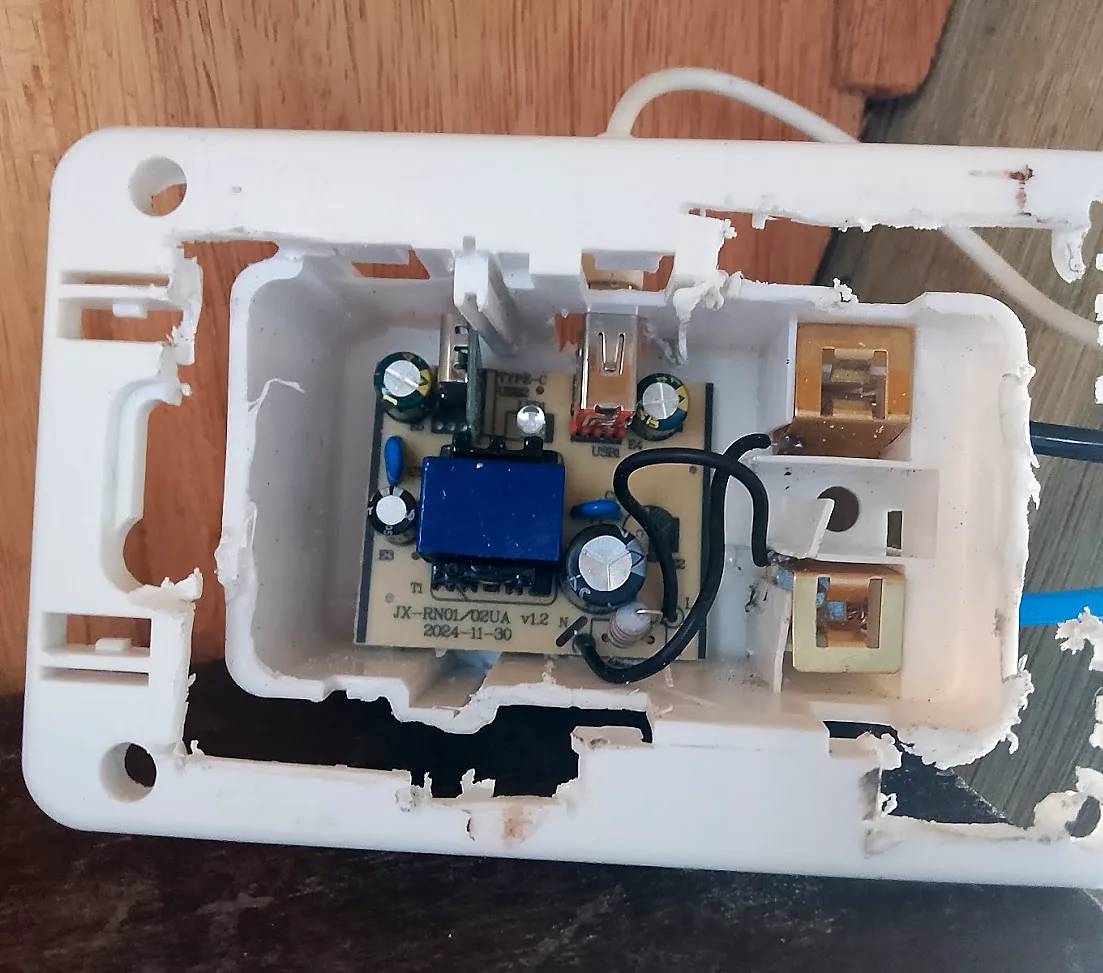
Installing it became as simple as installing any other outlet.
Repository
https://github.com/marcosvpj/felicity-cyd
Conclusion
Just because I live off-grid, on top of a mountain, doesn’t mean I can’t use technology to improve my life. The main point is to understand the current limitations and work with them and around them.
And that’s something that applies to everything. Many times we want to do things the best possible way, with the best possible architecture, when simply providing a static JSON file already solves it.