How many TV episodes still fit in the battery
Living off-grid and working remote, managing my electricity consumption is a constant need.
In the summer, when the sun powers the solar panels from 6-7 in the morning, I don’t have many problems. But in the winter, depending on the weather, the sun only shows up to recharge the batteries around 9-10 in the morning.
That makes the decision of watching one more episode of a series before sleeping be the difference between having or not having electricity to work on the next cloudy days.
So to know if I can relax and watch one more episode or if it’s better to read a book and save battery, I have to open the battery app, check the current charge, open the weather forecast site and see if the next days will be sunny or not.
Two different apps, needing to navigate through several different screens. And still running the risk of a notification popping up at any moment, distracting me, and me ending up spending energy exactly when I should be saving battery.
As a good nerdy programmer, I decided to develop a dashboard that fetches the data from the battery and a weather forecast API and displays everything on a display I embedded in my living room wall.
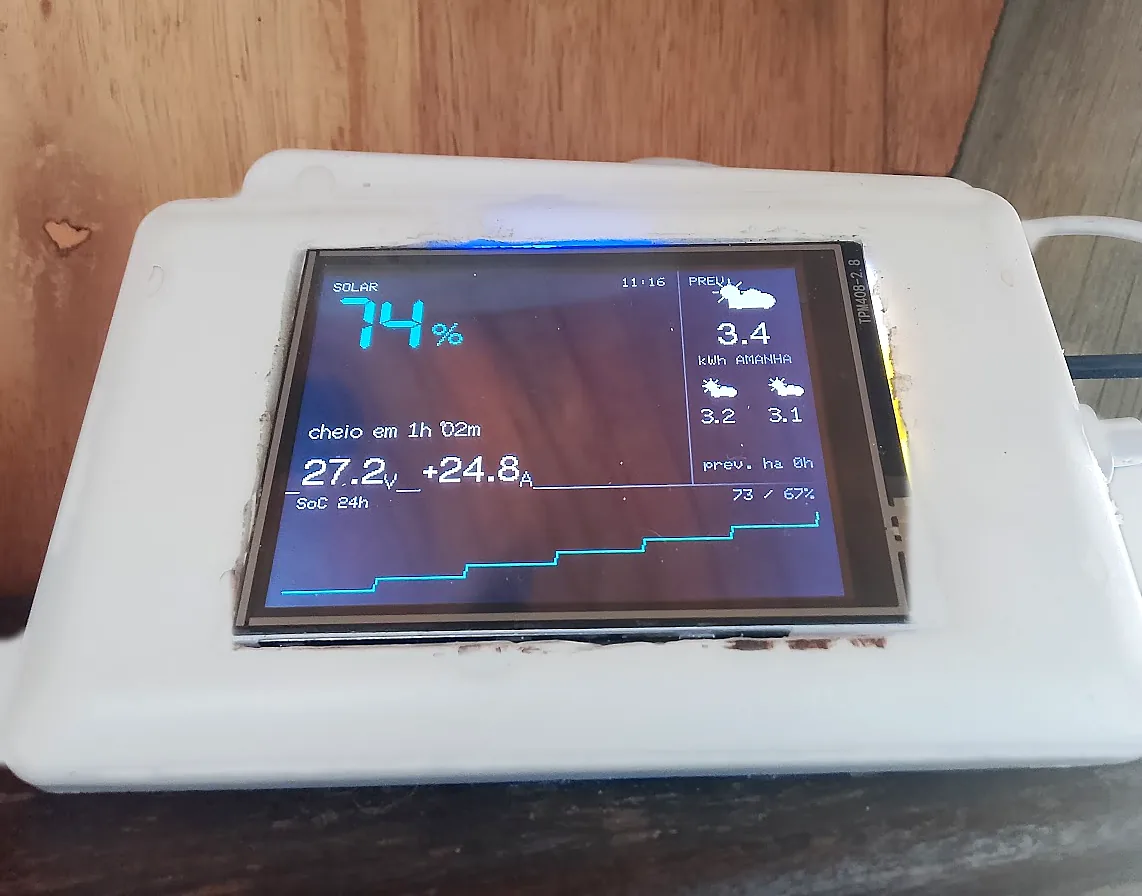
Now I just look to the side and I can see how much battery I have, the forecast of how long it will take to discharge at my current energy consumption and the weather forecast for the next 3 days.
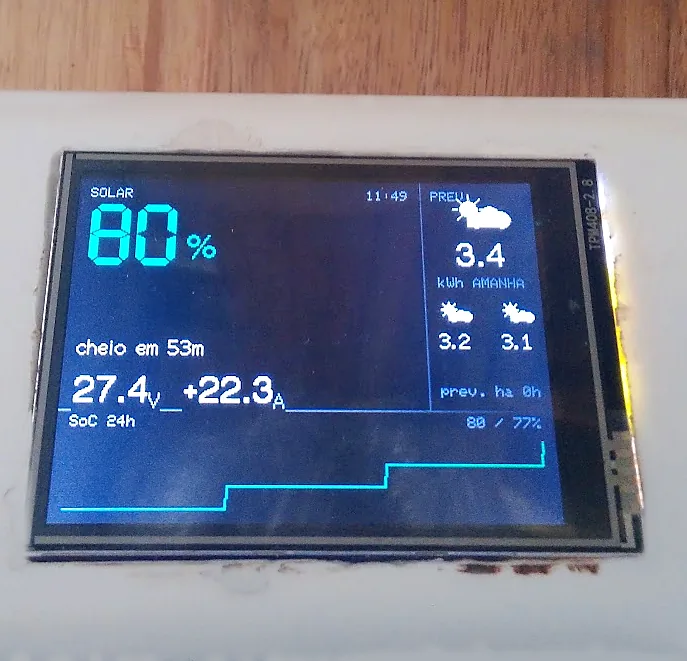
All well organized, using color patterns so I don’t even need to think much about what the numbers mean. In the photo above it’s a peaceful day: 80% charge, 22 amps coming in, 3.4 kWh of generation forecast for tomorrow and the last 24 hours chart only going up. Everything in cyan and white, so I can watch whatever I want. When any of these numbers appears in yellow or red, it’s a day to turn off the internet early to avoid the risk of running out of power in the middle of work.
Behind it there’s not much mystery. The display is one of those ESP32 boards that already come with a 2.8 inch TFT screen soldered on the same little orange board: connects to wifi, fetches the ready data from the API I made for the battery and from the weather forecast API, and just draws on the screen.
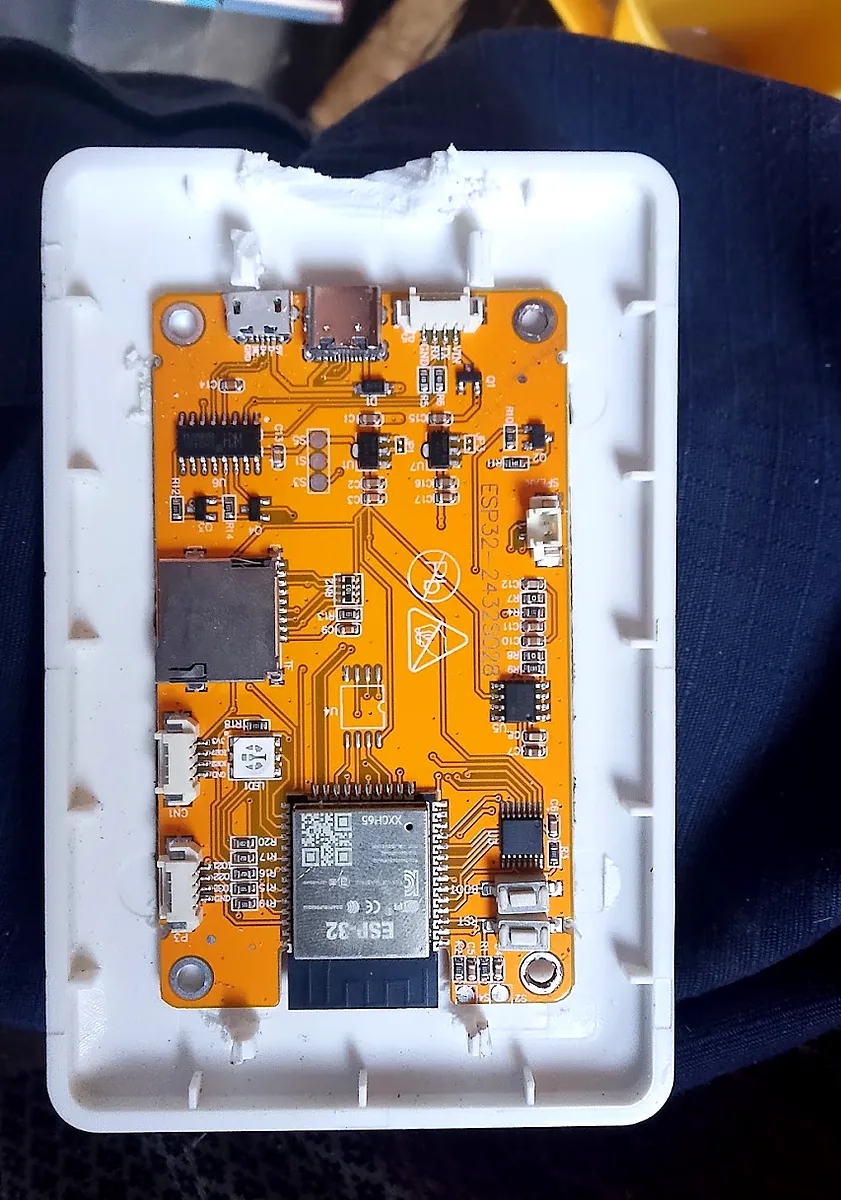
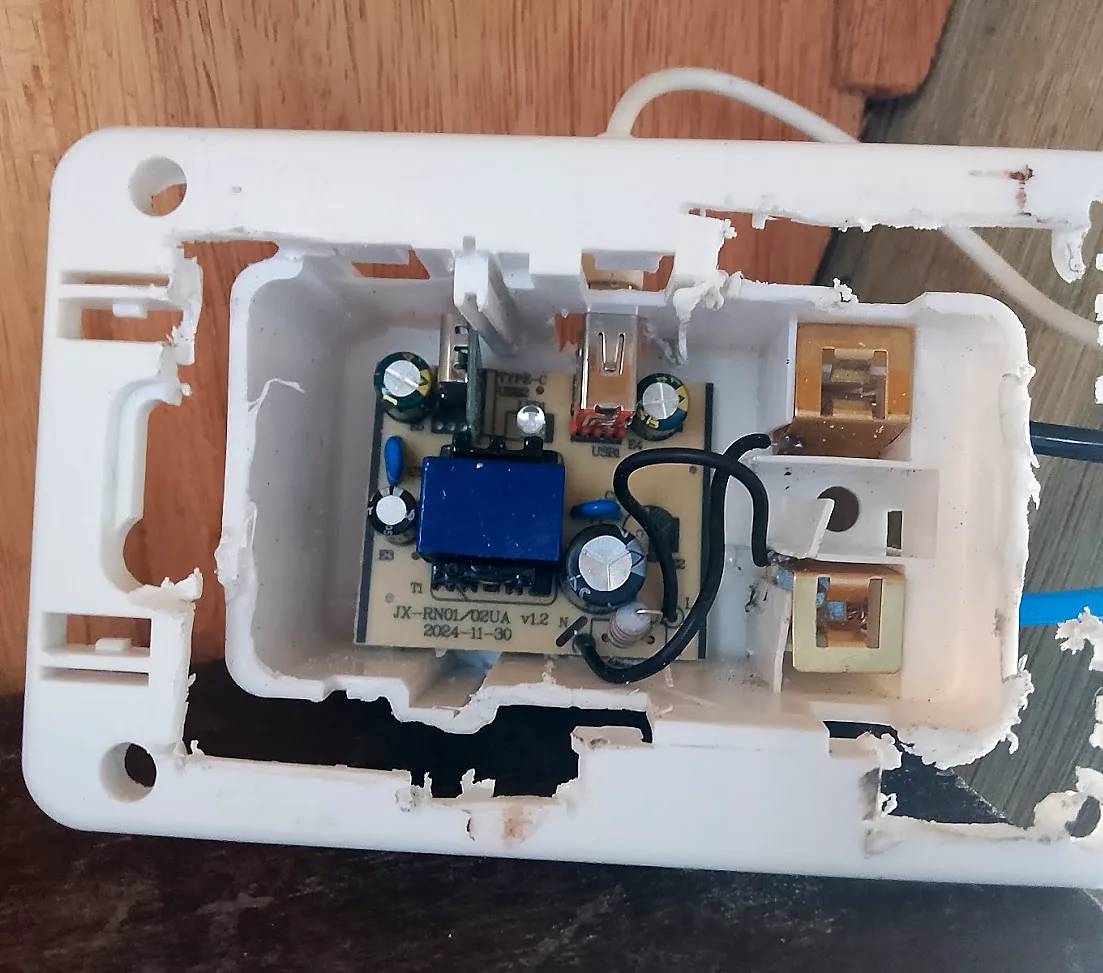
The most laborious part wasn’t the code, it was the box. I reused a wall mounting box to hide the power supply and the wiring, so what shows up in the room is only the screen, with no dangling cable or hack visible.
Now the problem is no longer a problem. The decision doesn’t depend anymore on information hidden in multiple apps: I just glance at the display on the wall and immediately know my energy situation — and if I can stay up late watching series or not.